What Video Conference Platform Do Recruiters Use to Arrange Interviews for Candidates and Clients?
Key Takeaways
- General-Purpose Video Conferencing Tools Excel at Communication, Not Evaluation: Platforms like Microsoft Teams, Zoom, and Google Meet are great for hosting meetings and town halls, but they aren’t built to handle talent evaluation, technical skill testing, or candidate verification on their own.
- The Goal Isn’t to Replace MS Teams or Zoom: Modern recruiting teams don’t need to ditch their everyday communication tools. Instead, they need a dedicated interviewing layer that integrates directly with Teams, Slack, and their ATS.
- Hiring Requires Flexibility with Assessments: High-volume screening and agency client coordination benefit massively from combining live interviews with pre-recorded (asynchronous) screens and pre-hire skill assessments.
- Fraud Prevention: Remote hiring in today’s AI era requires built-in identity verification and AI proctoring to protect clients from proxy candidates and candidate fraud.
When you’re arranging interviews between candidates, recruiters, and external clients or hiring managers, video conferencing is the backbone of your hiring workflow. But the call itself is rarely the hard part. The hard part is everything around it: lining up calendars, keeping interviews consistent, confirming who’s on camera, and getting feedback back to the client.
So, what video conference platform should recruiters and hiring teams actually use to arrange interviews for candidates and clients seamlessly?
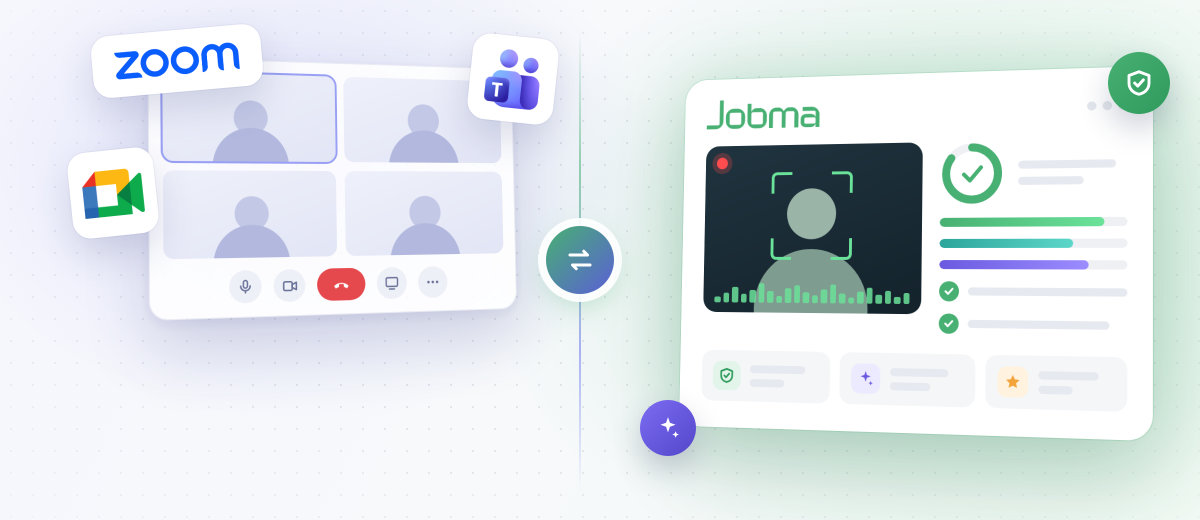
In this guide, we’ll walk through three interview scenarios recruiters handle every week. We’ll look at where hiring needs more than a meeting link. Then we’ll show how video interview software like Jobma fills that gap, including how it works with the Teams setup your clients may already use.
What Video Platforms Do Recruiters Actually Use?
Recruiting teams operating at a small scale generally use standard video conferencing platforms because they’re either free to use to interview a handful of candidates, or already part of the company’s tech stack. For example, if the company runs on Google Workspace, they’re on Meet. If it runs on Microsoft, they’re on Teams. Zoom fills in the gaps for larger panel and group meetings with additional capabilities.
These tools are great for hosting conversations and town halls. But hiring scenarios bring different needs around the call itself. Here are three of them.
1. Screening Candidates Securely
When you’re the one running the interview, whether it’s a first-round conversation or an internal hiring loop, you control the platform. Any of the big three can host the call, but the requirement will change depending on the context:
- Volume: Screening 30 candidates for one role means 30 calendars to coordinate. Self-scheduling and automated reminders matter more than video features.
- Consistency: Every candidate should get the same questions and be evaluated against the same criteria. A conferencing tool gives you an empty room, not a structured interview.
- Speed & Alternative Formats: Not every early conversation needs to be a live 30-minute block. Pre-recorded (asynchronous) video interviews let candidates respond on their own time, while AI interviewers can run initial screens around the clock.
- Identity Verification: Remote screening is where proxy interviews and impersonation are most likely to slip through. Verifying identity at this stage protects every round that follows.
- Audit Trail: When you present a candidate to a hiring manager or client, a recorded, scored interview tells a richer story than a resume and your notes.
This is where a dedicated interview platform earns its place. A meeting link handles the conversation; it doesn’t handle the hiring.
2. Facilitating Interviews and Assessments at Scale
For in-house recruiting teams and staffing agencies, coordinating time and setting up interviews is the daily reality. You’re often setting up interviews you won’t join personally, or where you’ll host without participating in the conversation. The client’s existing platform is usually the best starting point.
- Enterprise Clients: Most operate on Microsoft 365, making Microsoft Teams their path of least resistance (and many enterprise firewalls block non-approved video software).
- Startups & Tech Companies: Most live in Google Workspace, making Google Meet their natural default.
- No Strong Preference: Zoom remains a neutral, universally recognized choice that almost every candidate has used.
The golden rule for recruiters is simple: work with whatever tool minimizes friction for the client. The hiring manager’s time is hard to secure, so meeting them where they already work is paramount.
3. Evaluation and Client Collaboration
Not every client interaction needs to be a live 30-minute call (but if you do need to get on a call, do it). Often, the fastest way to get client buy-in is to let them review a curated shortlist on their own schedule.
Candidates complete a pre-recorded (one-way) interview on their own time. You review the responses, shortlist the top contenders, and send the client a clean, secure link to watch them. The client reviews whenever it suits them, then decides who to invite for a live conversation.
This is a far better experience for both agencies and clients:
- Eliminates Calendar Tetris: Clients don’t have to block off five hours to screen five candidates; they can evaluate clips in minutes.
- Fair Side-by-Side Comparison: Every candidate answers the exact same questions, allowing clients to compare talent objectively.
- Deeper Candidate Context: Hiring managers see communication skills, technical confidence, and soft skills before locking in a live meeting.
You can approximate this with a meeting tool by recording the call, uploading the file, and sharing it. But the client ends up with a video file instead of an interactive evaluation portal where they can score candidates and leave feedback.
Bridging the Gap: The Capabilities Hiring Demands
None of this is a knock on Teams, Zoom, or Meet. They were built for meetings, and they’re excellent meeting tools. They don’t need to be replaced. They need a dedicated hiring layer around them.
Purpose-built platforms like Jobma don’t compete with video conferencing tools. They add the recruiting capabilities general meeting apps were never designed to handle.
Multiple Interview and Assessment Formats
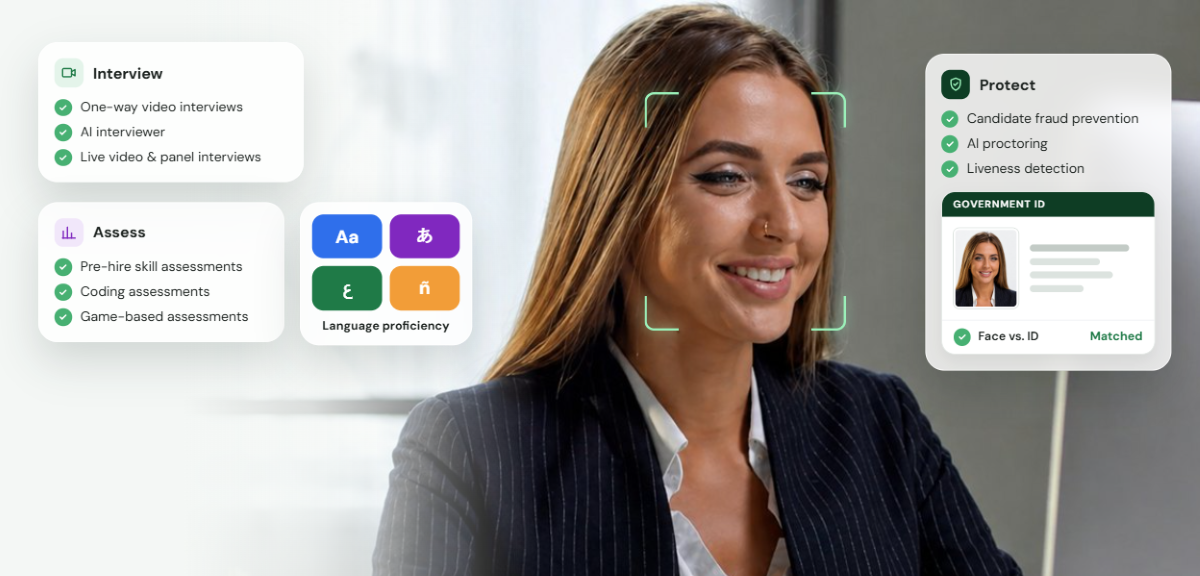
General meeting tools are built for live calls. Jobma lets you pick the right format for each hiring stage, with one-way, live, and autonomous AI interviews on a single platform:
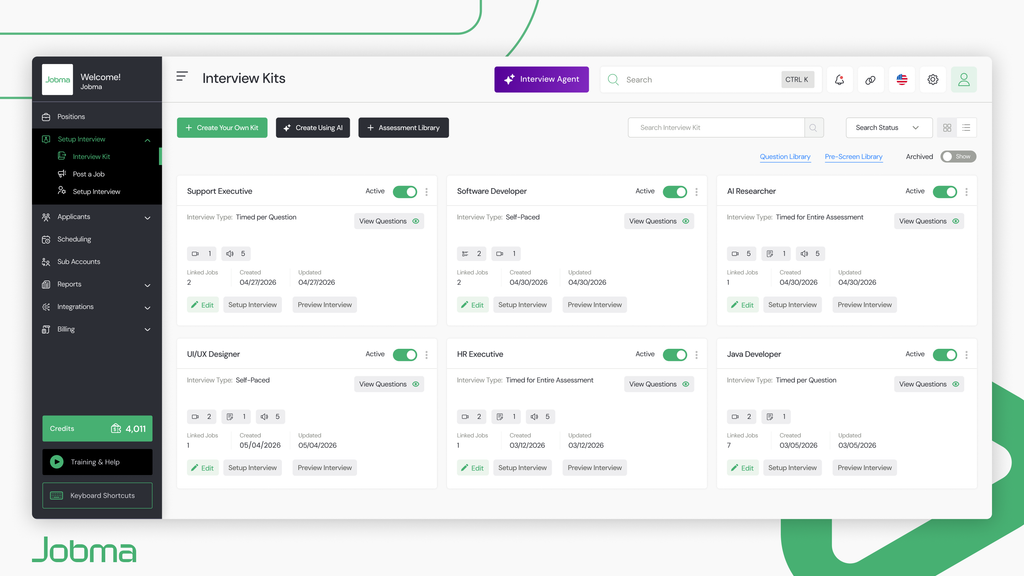
- Pre-recorded (One-Way) Video Interviews: Screen candidates at scale without scheduling conflicts. Candidates record answers to preset questions on their own schedule; you control how it runs. This is also the format that works best for client shortlists. Every candidate answers the same questions, so hiring managers compare them fairly.
- Autonomous (Agentic AI) Interviewer: Run first-round screening automatically 24/7 to keep candidate pipelines moving. You set questions and criteria; Jobma’s AI interviewers run the interview & ask follow-up questions based on responses. Recruiters can jump in and take over anytime.
- Live Video Interviews: For a real-time conversation, Jobma’s live video interviews will feel familiar to anyone who’s used Teams or Zoom. You can conduct interactive 1-on-1 or panel interviews with automated calendar syncing for scheduling.
Pre-Hire Skill Validation
Evaluating a candidate requires more than verbal conversation. Jobma brings skill assessment into one workflow, so you do not need a separate testing tool. Candidates can demonstrate practical skills inside the same workflow where their interview is evaluated. You can assess coding skills in 20+ programming languages, including Python, Java, JavaScript, PHP, and C++, and set the difficulty, code stubs, test cases, time limit, and scoring criteria.
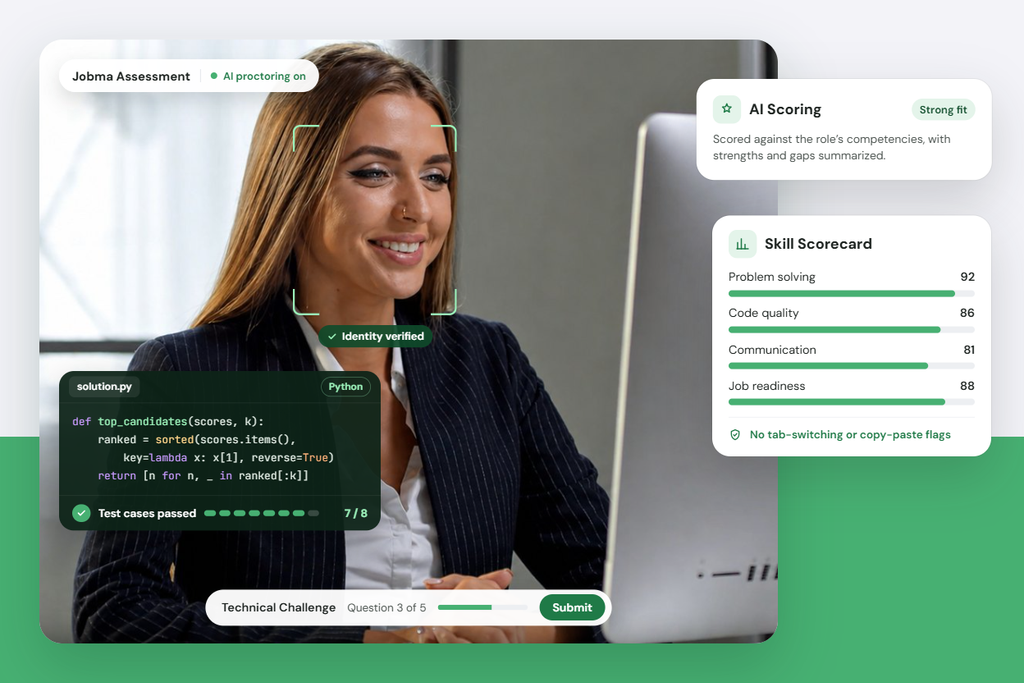
With language proficiency tests, you can check spoken communication, including pronunciation and grammar. Pairing a coding challenge with a one-way or live interview gives you a read on both technical ability and communication.
Fraud Prevention Before & During the Interview
With proxy candidates, AI-assisted answers, and deepfakes on the rise in remote hiring, standard video conferencing platforms offer no integrity protection. Jobma features built-in candidate identity verification and AI proctoring (detecting multiple faces, tab switching, and unauthorized assistance) to ensure the person interviewing is the person you hire.
For agency recruiters, this means a candidate is verified before they reach your client. That protects the client’s hire and your reputation with them.
Jobma is used by talent acquisition teams at mid-size and large enterprises. Book a free demo to see how Jobma can serve your hiring needs.
AI Insights That Support Human Decisions
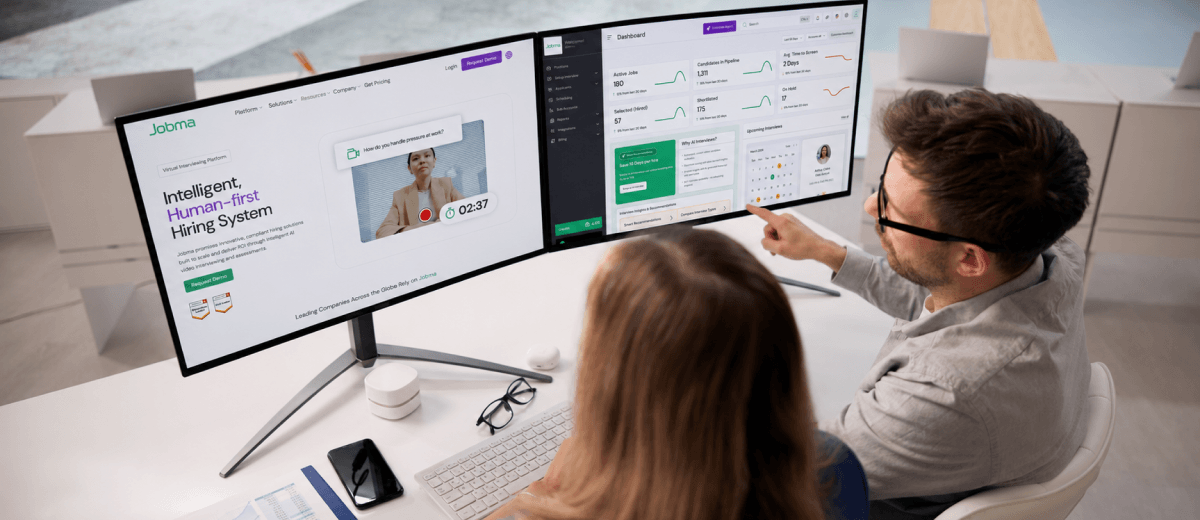
Once interviews and assessments are done, Jobma’s ethical AI helps hiring teams make sense of the results. AI scoring, interview summaries, and transcripts help reviewers work through long candidate lists faster. Multilingual transcripts cover both video and audio responses. Reviewers can compare candidates side by side using AI scores and transcripts, and add tags, ratings, and feedback as a team.
AI scores and insights are a support tool. They help reviewers focus their attention, but they don’t replace human judgment, and final decisions stay with your team.
Branded Interviews and Collaborative Evaluation
Add your company branding, colors, and images so every interview feels like an extension of your organization or agency. Recorded interviews, assessment results, and reviewer feedback stay in one place, so clients and hiring managers review candidates together instead of across email threads.
Deep Ecosystem Integrations
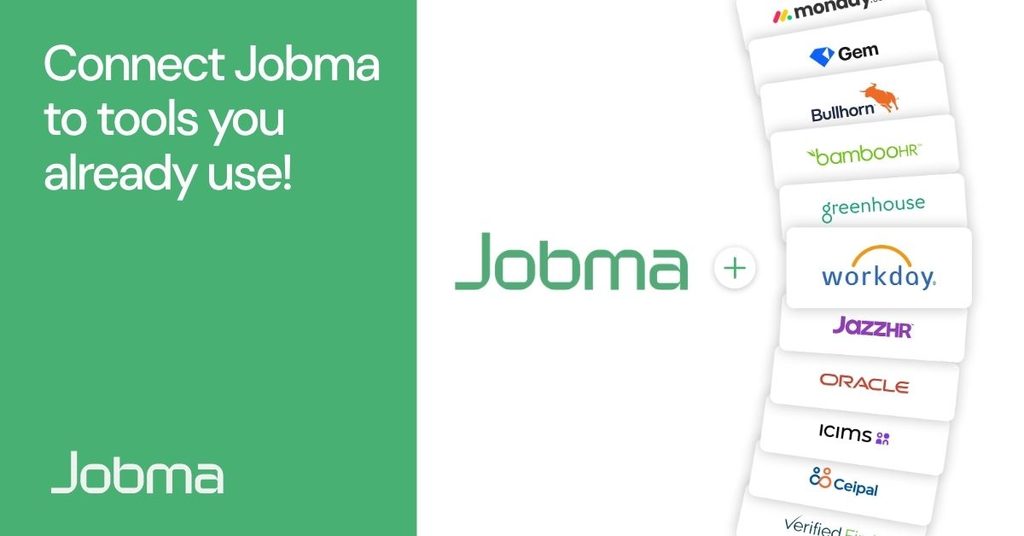
Jobma is built to work seamlessly alongside your existing stack. It automatically syncs candidate video links, interview transcripts, and reviewer scorecards directly into your system of record – no manual double-entry required. With 70+ ATS and HR integrations, interview data flows back into your system of record (such as Greenhouse, Lever, Workday, Bullhorn, or Salesforce), and Zapier connects Jobma with 6,000+ more apps.
Security & Compliance
Jobma is SOC 2 Type II and ISO 27001 certified, and compliant with GDPR and CCPA. This is critical when you’re handling candidate video, ID documents, and assessment results on behalf of clients. Visit Jobma’s Trust Center.
What Recruiting Teams Can Achieve with Jobma
By layering Jobma over your existing tech stack, recruiting teams move past administrative bottlenecks and streamline the entire candidate pipeline:
- Eliminate Calendar Back-and-Forth: Candidates pick a slot from your availability and can reschedule or cancel themselves. Outlook and Google Calendar sync keeps everyone aligned, and reminders go out automatically.
- Standardize Candidate Evaluation: Ensure every applicant is evaluated against the exact same questions and structured scoring criteria, making candidate comparisons fair, consistent, and objective.
- Accelerate Client Decisions: Send hiring managers shareable, branded shortlist portals so they can evaluate, rate, and approve candidates in minutes instead of days.
- Protect Hiring Integrity: Verify candidate identities and skills upfront before they ever reach a client screen.
- Centralize Every Result: All recordings, AI transcripts, and scorecards automatically log to your ATS, creating a single source of truth across your team.
Checklist: Is Your Video Conferencing Setup Built for Hiring?
Ask yourself these four questions to see whether your current setup supports your recruitment workflow:
- Does every candidate get the same questions and scorecard?
- Can you run skill assessments (coding, technical, language) alongside video interviews?
- Does your setup include identity verification and proctoring to protect against proxy candidates?
- Do interview feedback and scorecards sync automatically into your ATS?
If you answered “no” to any of these, your setup likely needs a hiring layer around your meeting tool.
Elevate your Hiring Process with Jobma
Microsoft Teams, Zoom, and Google Meet are exceptional tools for daily business communication. But when your goal is to evaluate talent efficiently, verify candidate skills, and present polished shortlists to clients, you need a platform built specifically for recruitment.
By integrating Jobma into your hiring workflow, you gain the full capabilities of purpose-built video interviewing – including skill assessments, fraud prevention, and automated ATS syncing – while keeping your candidate and client interactions smooth and professional.
Book a demo with us today to explore our platform!
Frequently Asked Questions
Jobma is a specialized hiring platform designed to streamline interviews and candidate assessments. While general-purpose video conferencing tools facilitate meetings, Jobma provides a purpose-built environment for conducting video interviews, evaluating candidates, administering skill assessments, and managing the interview process – all within one platform.
Yes. Share one-way interview responses or recorded live interviews with clients through a link, so they can review the shortlisted candidates on their own schedule.
Adding dedicated interview software makes sense when you’re managing high candidate volumes, coordinating shortlist reviews with external clients, running technical or language skill evaluations, or hiring for remote roles where candidate verification is essential.
Jobma includes built-in candidate identity verification and AI proctoring tools. The platform flags unusual activity, such as tab switching and multiple faces on camera, to help confirm candidate authenticity during video interviews and skill assessments.