What to Know About Workday Integration for Healthcare Hiring
Healthcare organizations face unique hiring challenges, from credentialing clinicians to managing shift-based staffing amid shortages. Workday integration helps bring these processes together by connecting recruiting, compliance, and HR systems, making it easier to reduce time-to-hire while staying aligned with HIPAA requirements.
Many organizations rely on Workday to manage recruitment and workforce operations. And while it is a strong platform, it works best when integrated with other tools that are optimized for healthcare hiring. Hiring today involves multiple systems working side by side – interviewing platforms, credentialing tools, and background screening solutions.
When these systems are connected, workflows become easier to manage. Teams spend less time on manual tasks and can move faster, while still keeping compliance in check at every stage.
Workday Integration Overview
Workday Recruiting supports the full hiring process – from job requisitions and candidate pipelines to interviews, offers, background checks, and onboarding. Integration simply means connecting Workday with other systems so information can move between them without manual effort.
Instead of managing disconnected tools, integration allows organizations to:
- Automatically sync candidate data across platforms
- Trigger actions (such as interviews) within existing workflows
- Keep all hiring data in one consistent, up-to-date system
In practice, this means recruiters no longer need to switch between systems or manually update records. Data flows in a structured, consistent way across the entire hiring lifecycle
Reasons Healthcare Teams Use Workday for Hiring Operations
Healthcare recruitment comes with challenges. Hospitals and healthcare networks often hire for hundreds of roles at once, especially during seasonal demand or staffing shortages. These roles are time-sensitive and involve strict credential checks, licensing requirements, and regulatory oversight.
Integration helps simplify some of the complexity. It improves visibility into staffing, supports better workforce planning, and gives teams access to real-time insights on turnover and engagement.
It also makes it easier to expand talent pools through skills-based hiring, especially for high-demand roles like nurses, while keeping track of requirements such as OIG exclusions and state licenses.
Workday’s HCM suite supports these needs, from license tracking to skills matching. When connected with ATS platforms, EHR systems, and payroll tools, it helps streamline onboarding, reduce administrative workload, and move hiring processes along more efficiently.
Benefits include:
- Real-time credential verification to flag expired licenses early
- Visibility into turnover for high-demand roles
- Mobile-friendly applications for shift-based workers
- More consistent and structured screening workflows
Integration Methods
Healthcare organizations can integrate Workday with external hiring tools in several ways, depending on their scale and technical requirements. A typical integration strategy includes a mix of the following:
- Pre-built connectors: Ready-to-use integrations for faster deployment.
- APIs: Real-time, flexible integrations for custom workflows.
- Enterprise Interface Builder (EIB): Bulk data import/export.
- File-based methods (SFTP, CSV, XML): Structured data exchange for legacy systems.
Workday also provides native tools such as Core Connectors and REST APIs for deeper integrations, including links with clinical systems.
Here’s a step-by-step implementation guide:
- Assess & plan: Start by mapping out your current workflows with key stakeholders. Focus first on recruiting and core HR processes.
- Data migration: Import legacy candidate data using EIB, making sure credentials and records are accurate during the process.
- Configure modules: Set up essentials like shift tracking, HIPAA audit trails, and multi-state licensing requirements.
- Integrate systems: Connect your EHR, video interviewing platforms, background screening, and other tools.
- Train & go live: Run role-based training sessions and operate parallel systems to reduce risk during rollout.
- Optimize: Keep an eye on metrics like time-to-credential and refine workflows based on what’s working and what’s not.
Common Use Cases & Real World Examples
Workday integration extends beyond HR workflows; it connects workforce management, finance, supply chain, and clinical systems like EHRs, enabling streamlined hiring, compliance, and operations, creating a unified operational ecosystem.
This level of integration enables hospitals to operate more efficiently, reduce administrative burden, improve coordination, and make better decisions across hiring and patient care.
Here’s how it transforms hiring:
1. Clinician Engagement and Retention
Healthcare organizations are constantly balancing workload, burnout, and retention, especially for nurses and physicians.
How it works:
Workday automates high-volume HR processes such as contract updates, role changes, and internal mobility. In large systems, this can mean handling tens of thousands of changes annually without manual intervention.
When integrated with workforce management tools, scheduling becomes more predictable, overtime is better controlled, and contract labor is easier to manage.
Built-in analytics also help HR teams identify patterns behind turnover, enabling more targeted compensation strategies and support programs.
Real-world example:
John Muir Health unified HR and finance operations in Workday, streamlining requisitions and enabling more proactive retention strategies through mobile-enabled workforce tools across its network.
2. Streamlined Recruiting and Onboarding
Speed is critical in healthcare hiring, since every delay can directly impact care delivery.
How it works:
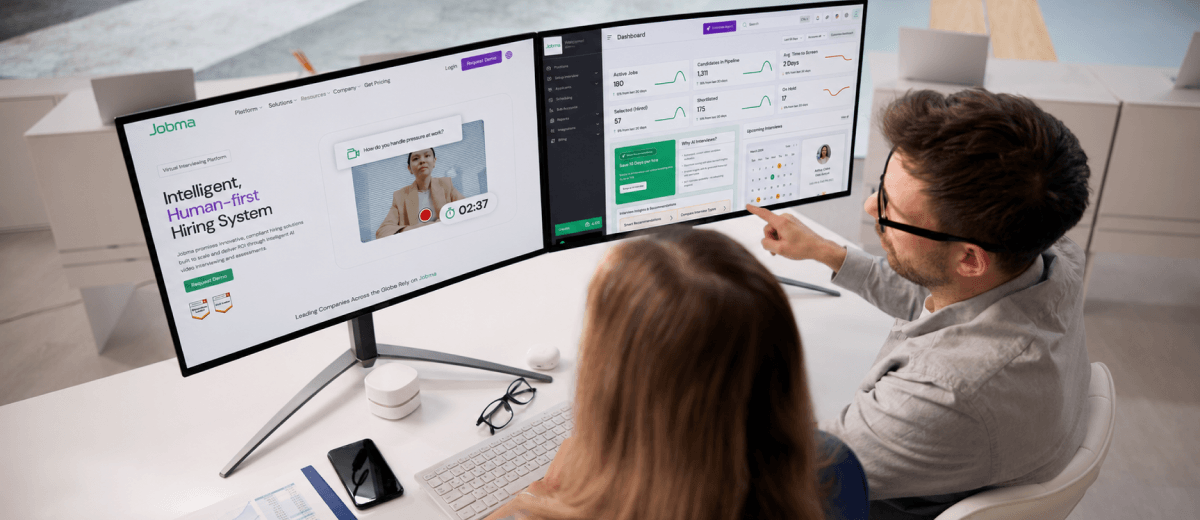
Workday integrates with applicant tracking systems like Greenhouse and video interviewing platforms like Jobma to manage job requisitions, interviews, candidate pipelines, and offer workflows in one connected process.
Credential screening, background checks, and onboarding tasks are automated and synced, while license and certification tracking ensures compliance by alerting teams to renewals, whether it’s nursing licenses, vaccinations, or training requirements.
Real-world example:
East Tennessee Children’s Hospital brought together more than 12 systems into Workday, with 90% of its workforce onboarded within the first week. This made it easier to source candidates, speed up onboarding through Workday Learning, and move away from manual, paper-based processes to a more connected approach.
3. Agency and Contract Labor Optimization
Managing contingent staff, travel nurses, temps, and agency workers is critical during demand spikes like flu season, pandemics, or staffing shortages.
How it works:
Workday Labor Optimization’s AI engine forecasts demand via ML (historical/patient data), generating optimized shifts with Scheduling/HCM. Prism Analytics blends agency data for cost/turnover visibility; Extend/VNDLY builds custom workflows for credential checks, vendor rate enforcement, and auto-payroll, ensuring qualified fills, OT minimization, and seamless HCM sync while scoring schedules.
Real-world example:
Advocate Health (3rd-largest U.S. nonprofit system, 60+ hospitals) deployed Workday VNDLY post-merger to unify decentralized contingent programs. This slashed time-to-fill by 44% (9→<5 days), saved $100M+ via rate strategies/vendor visibility, and boosted compliance, delivering real-time HCM data for optimal patient care staffing.
4. HR and Operational Efficiency
Healthcare systems operate across departments, locations, and shifts, making coordination complex amid constant demands.
How it works:
Workday integrations simplify day-to-day operations by automating onboarding and offboarding processes, including access setup through systems like Active Directory or ServiceNow.
Self-service tools also take pressure off HR teams by allowing employees to manage routine requests, such as shift changes, on their own. At the same time, access to real-time skills and workforce data makes it easier to move staff where they’re needed most – like redeploying clinicians to high-demand units such as ICUs.
Bringing all of this data into one place helps teams stay consistent, reduce back-and-forth, and get a clearer view of workforce operations.
Real-world example:
Alira Health, a global healthcare consulting firm, rolled out Workday across 10 countries following a series of acquisitions. This replaced scattered Excel-based processes with a single system, making reporting easier, improving data visibility, and helping teams adopt more consistent ways of working across regions.
5. Financial and Compliance Alignment in Hiring
In healthcare, hiring isn’t just about filling roles; it’s closely tied to budgets, labor costs, and strict regulatory requirements.
How it works:
Workday brings together workforce and financial data, giving teams a clearer view of labor costs, overtime, shift differentials, and cost-per-hire. Payroll stays aligned with actual hours worked, reducing the chances of errors.
On the compliance side, features like audit trails, contract tracking, and documentation management help teams stay on top of requirements such as HIPAA and vendor agreements. Expirations are flagged early, rates are enforced, and overpayments are easier to avoid.
Real-world example:
Dayton Children’s Hospital used Workday’s supply chain and financial tools alongside HCM to improve how it manages contracts and compliance. With 725+ contracts centralized in one system, the team gained better visibility, reduced the risk of overpayments, and improved overall compliance. This also supported hiring efforts by freeing up time and resources, allowing staff to focus more on patient care during periods of growth and high demand.
6. Data-Driven Hiring & Workforce Planning
In healthcare and pharma, hiring decisions must align with patient demand, operational capacity, and global growth to avoid shortages or talent gaps.
How it works:
Workday connects with clinical systems to bring together workforce, financial, and patient data in one place. This gives teams a clearer view of what’s happening on the ground – whether it’s care team productivity, staffing needs based on patient volumes, or cost-per-hire.
With this visibility, planning becomes more practical. Teams can spot trends, adjust hiring based on demand, and make better use of existing talent. Forecasting tools also help anticipate gaps early, so hiring doesn’t become reactive.
Real-world example:
Celltrion, a global biosimilar company expanding into new drug development, used Workday to unify HR across its international operations. By bringing data into a single system, the company built a global view of roles, performance, and hiring needs. This made it easier to plan ahead, retain critical talent, and support growth across regions.
Key Considerations for Workday Integration
For a successful Workday integration, you need to set up a process that can handle scale, compliance, and real-world hiring pressures. Here are some best practices healthcare organizations should follow:

1. Build Compliance into the Foundation
Healthcare hiring is heavily regulated, so compliance cannot be an afterthought.
Set up automated alerts for license and certification expirations, and ensure audit trails are in place to support HIPAA and other regulatory requirements. This helps teams stay ahead of compliance gaps rather than reacting to them later.
2. Start with High-Impact Hiring Workflows
Instead of trying to integrate everything at once, begin with the most critical hiring needs—such as recruiting for roles like registered nurses or emergency staff.
A phased rollout allows teams to:
- Stabilize core recruiting workflows first
- Test integrations in real conditions
- Expand gradually into payroll, analytics, and workforce planning
3. Design for High-Volume, Always-On Hiring
Healthcare hiring doesn’t follow a 9-to-5 schedule. Use mobile-friendly and text-based workflows to reach candidates faster and support last-minute shift requirements. This is especially important for departments like emergency care, where staffing needs can change quickly.
4. Configure Workflows for Real-World Complexity
Custom workflows built using tools like Workday Studio should account for how healthcare systems actually operate.
For example:
- Credential data should sync bi-directionally with EHR systems like Epic Systems
- Candidate and employee data should remain consistent across all connected systems
This avoids data silos and ensures that hiring, compliance, and operations stay aligned.
5. Use Integration Partners Strategically
Integration platforms and partners can significantly reduce implementation time.
Tools like Workato help automate workflows with low-code or no-code approaches, while platforms like Reco.ai can support ATS automation and data flow management.
The goal is to simplify complexity, not add to it.
6. Track the Right Metrics from Day One
To understand whether your integration is working, define clear KPIs early on. Focus on metrics such as:
- Time-to-credential
- Time-to-hire
- Fill rates for critical roles
- Cost-per-hire
Use real-time dashboards to monitor performance and make adjustments as needed.
Common Challenges in Workday Integration
While the benefits are significant, Workday integration in healthcare comes with its own set of challenges, especially given the complexity of systems and regulations involved.
1. Legacy Systems and Data Silos
Many healthcare organizations operate with a mix of legacy HRIS, EHR, and workforce systems. Migrating and aligning this data can be difficult, often leading to:
- Incomplete candidate or employee records
- Gaps in compliance documentation
- Inconsistent data across systems
2. Complex Licensing and Workforce Structures
Healthcare staffing involves multiple layers of complexity, including:
- State-specific licensing requirements
- Shift differentials and overtime rules
- Union and contract labor considerations
These factors can make the initial configuration more time-consuming and increase the risk of delays during implementation.
3. Security and Compliance Risks
Handling sensitive healthcare and employee data requires strict security controls. Integrations, especially API-based ones, must be carefully tested and monitored to ensure:
- Secure data transfer
- Compliance with HIPAA and other regulations
- Protection against potential breaches during data syncing
4. Adoption and Training Gaps
Not all healthcare staff are desk-based or system-heavy users. This creates challenges in:
- Training hiring managers and administrators
- Ensuring consistent usage across departments
- Driving adoption of new workflows
Without proper onboarding, even well-designed integrations can fall short.
5. Vendor Dependencies and Integration Costs
Healthcare organizations often rely on established systems like UKG Kronos or Epic Systems. While these systems are essential, they can:
- Increase integration complexity
- Require additional customization
- Lead to higher implementation and maintenance costs if not planned properly
Final Thoughts: What Matters Most
Workday integration transforms healthcare hiring from fragmented to future-proof. Start with a pilot, integrate wisely, and measure relentlessly. A well-integrated Workday ecosystem allows organizations to move faster, stay compliant, and align hiring decisions more closely with real-time workforce and patient needs.