Jobma Integrates with TalentReef
Mitratech’s TalentReef is an applicant tracking system that helps streamline talent acquisition and enable hiring teams to build reliable hiring workflows. Jobma has integrated with TalentReef to allow recruitment teams to seamlessly manage AI-powered interviews within their existing workflows and improve hiring outcomes without switching platforms.
To integrate TalentReef with your Jobma recruiter account, follow the steps below:
Step 1
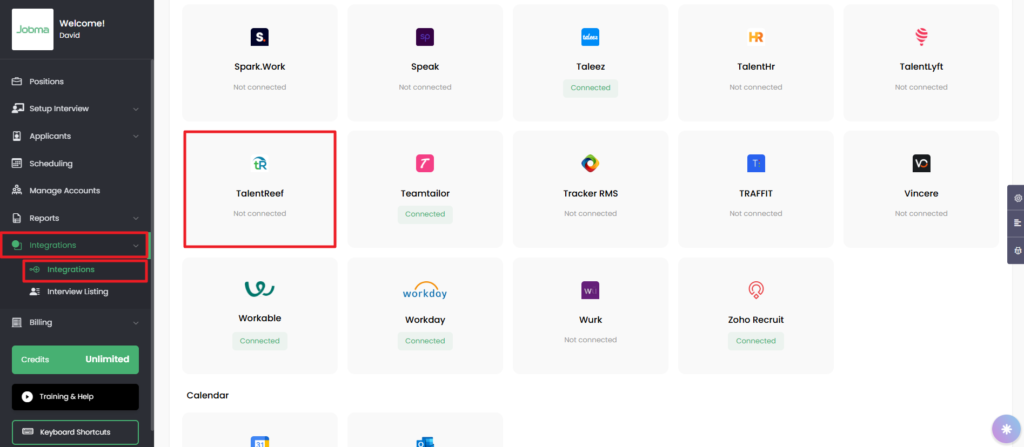
Log in to your Jobma account. From the left navigation bar on your account dashboard, go to Integrations > Integrations. Select TalentReef from the displayed integrations.
In the TalentReef form displayed on the right side of the page, enter the Client ID, API Key, and Login ID.
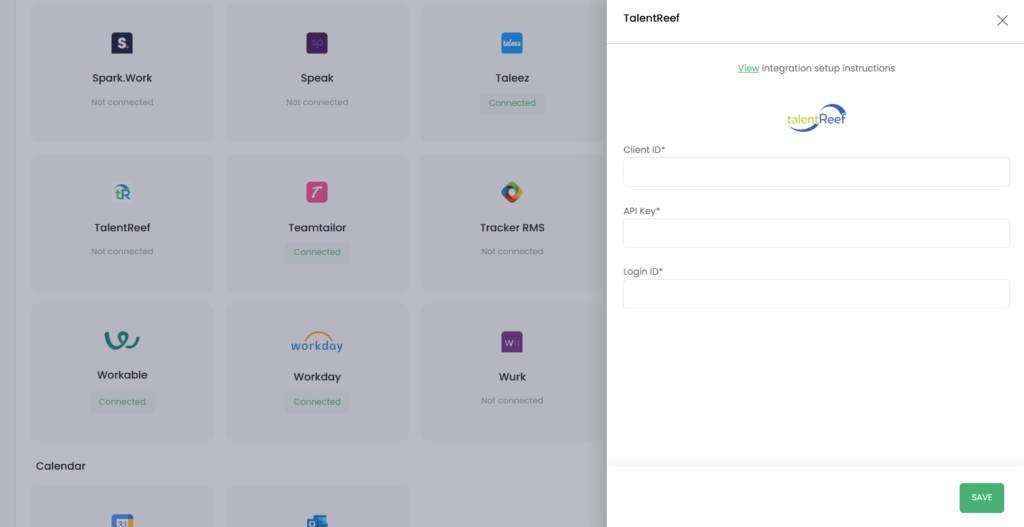
To request these credentials from the Mitratech team, please contact their support team and raise a support request.
In the Request Subject field, enter “Jobma/TalentReef (Mitratech) Interview integration request.” While filling in your request details, please include the name and email address of your Jobma account representative.
Please note that your organization may need to sign an NDA (Non-disclosure Agreement) with Jobma and Mitratech as a part of the integration process. Once an NDA is in place, Mitratech’s team will create your API credentials and share them with your Jobma account representative to set up your integration.
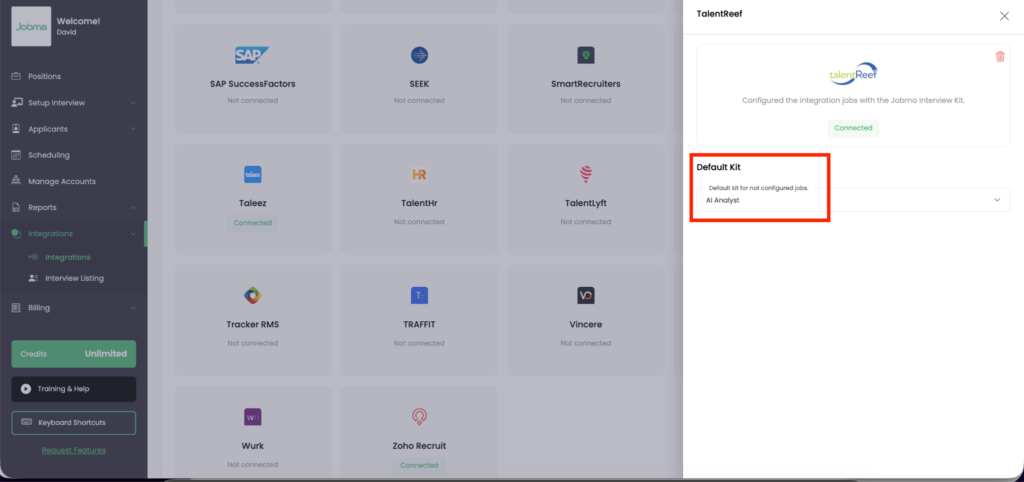
Once the integration is connected, open TalentReef in your Integrations page and select a default interview kit. You can either choose from the existing kits or add a new TalentReef-specific kit from Setup Interview > Interview Kit. You can revisit this form any time to change the default kit.
Step 2
To test that the integration is working properly, let’s invite candidates for a Jobma interview.
Log in to your TalentReef account. In the top menu, click ATS Redesign and select View All Applicants.
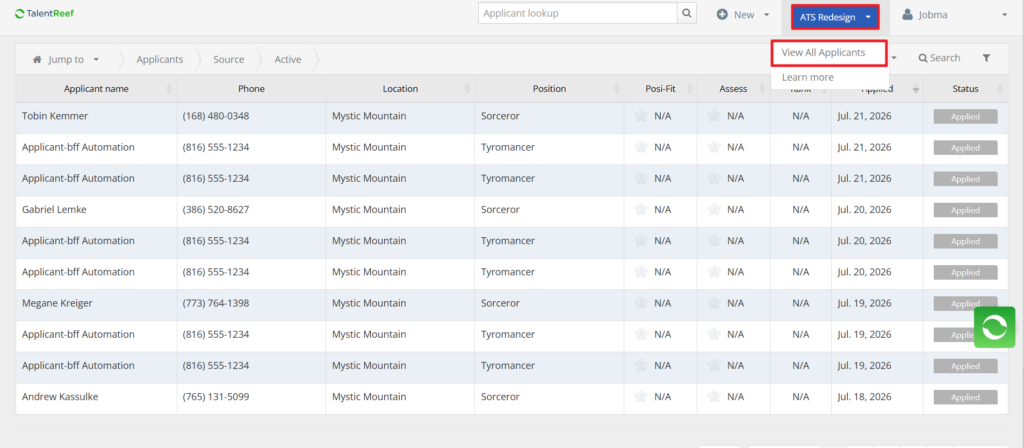
For the candidate you want to invite for a Jobma interview, change their application Stage to Interview.
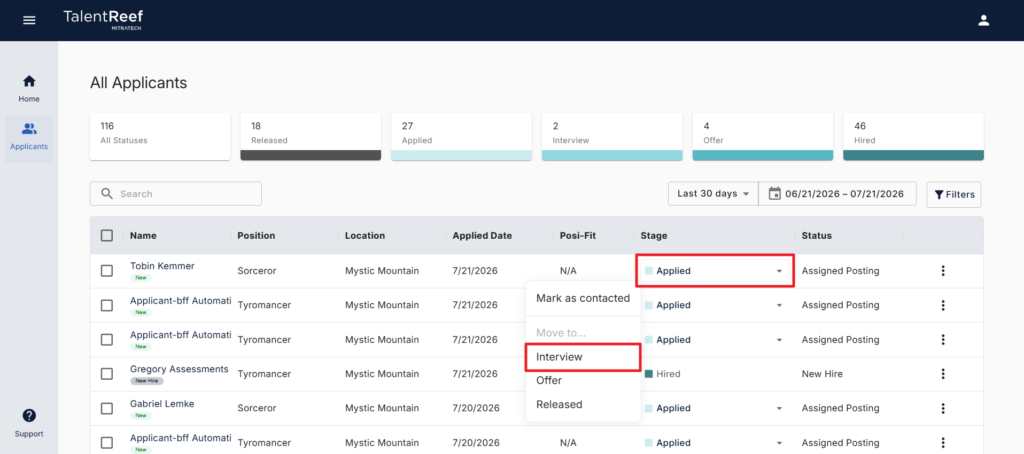
This sends an automated email to the candidate inviting them to complete a pre-recorded interview.
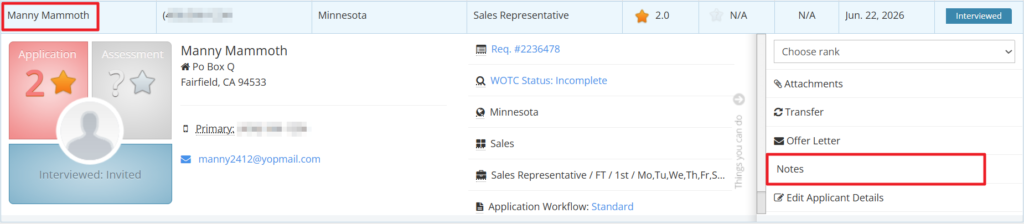
On the Home page, open the candidate’s profile and click Notes.
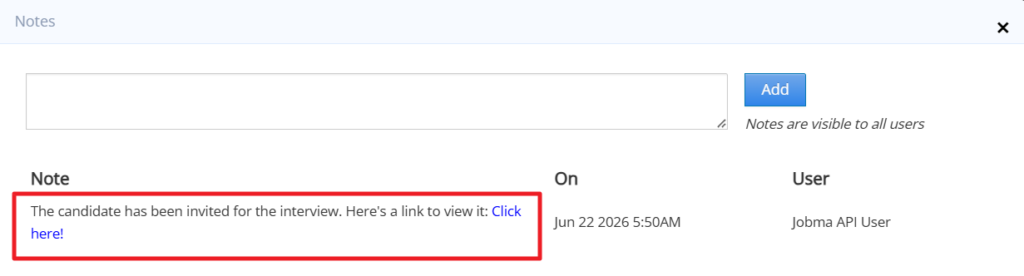
You can access the interview link in the Notes window.
Once the candidate completes their pre-recorded interview, the evaluation link is also shown in the Notes section.
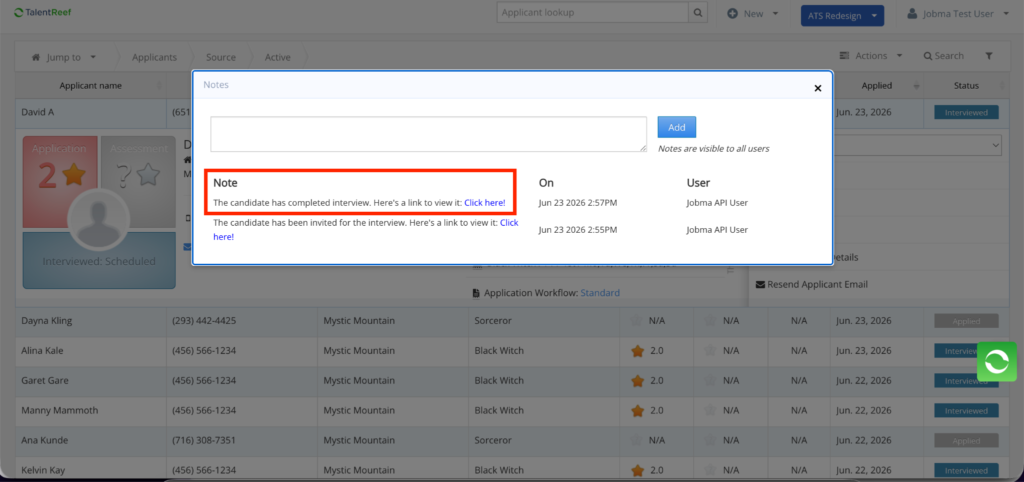
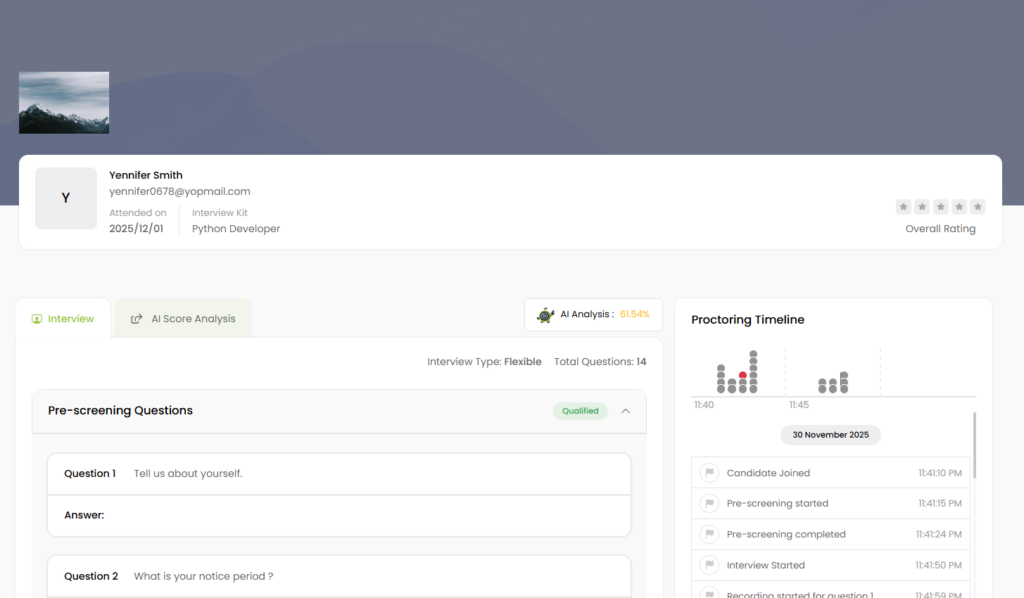
Click the link to open the evaluation form, where you can view and rate candidate responses and leave comments.
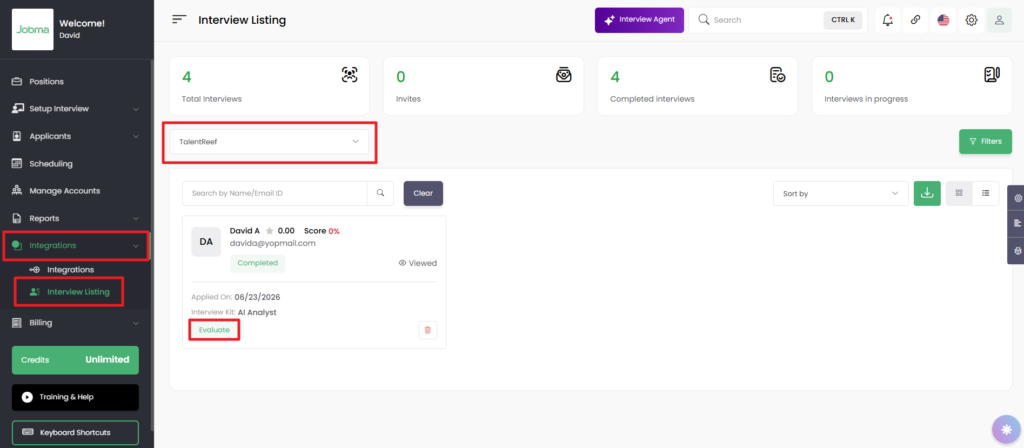
To access the candidate’s interview in Jobma, navigate to Integrations > Interview Listing. Choose TalentReef from the list of active integrations. The candidate profiles linked to this integration will be displayed on the screen. Click Evaluate to view the candidate’s interview and assess them.
That’s it! If you have any questions or need help, please reach out to your Jobma support representative.