If you have been invited to take a Jobma video interview and are wondering what to do next, this guide is for you.

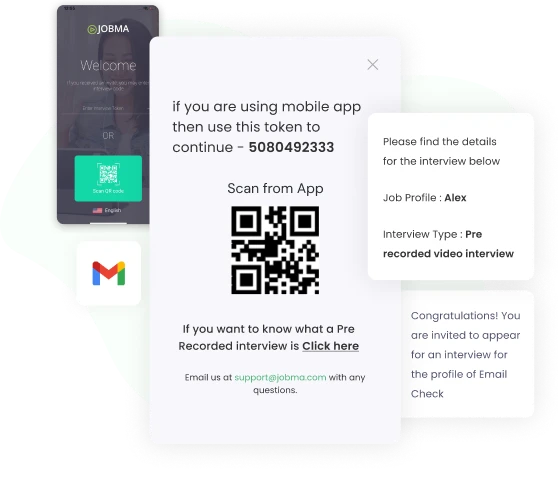
Open the interview link sent to your email or phone by your recruiter. Click Start Interview to begin.
If you're using a desktop device, we recommend using Google Chrome or Safari. If you're using a mobile device, we recommend downloading the Jobma Interviews app for candidates.



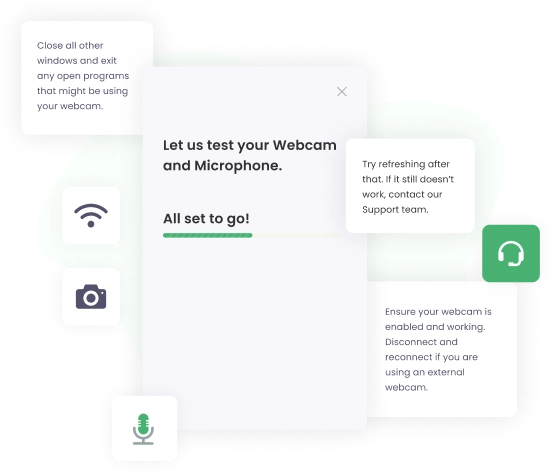
Jobma automatically checks your system to confirm that it's ready to record your interview, including an internet speed test, and camera and microphone availability. When prompted, allow full access to your camera and microphone.
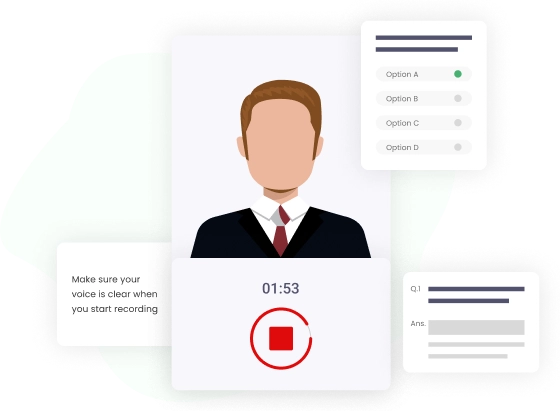
Before the actual interview starts, you can attempt a practice question to get familiar with the format. You can record yourself and play it back to ensure your responses look and sound good before you start the actual interview. Your responses to practice questions won't be saved or shared with the employer.
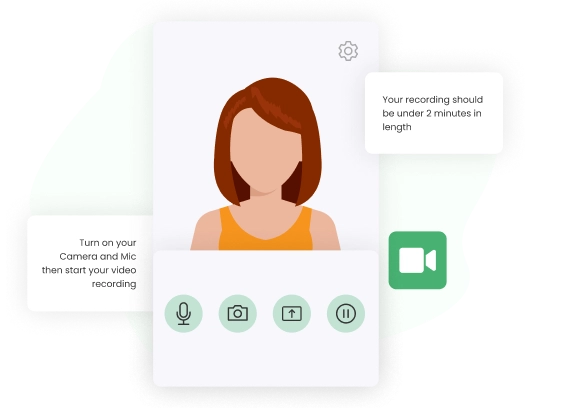
Please review each question shown on the screen. Some questions may have a think time to allow you to prepare your answer before the recording starts. Each question has its own time limit and retake limit. Maintain eye contact by directly looking into the camera, just as you would in a live interview.
Once you've recorded all the responses, submit your interview.
Prepare for the interview as you would for a traditional in-person or live interview. Dress in professional attire based on the role. Research about the job and the company, and focus on how your skills align with the role.
Choose a quiet room with natural lighting and minimal background noise. Position the light in front of you. Sit facing a window or soft light to illuminate your face. While answering, look directly into the camera, not at your screen.
Connect to a stable WiFi or internet connection to ensure smooth and uninterrupted connectivity. For the best experience, close any unnecessary apps in the background so your device can function optimally.
In a video interview, you’re the star, and the focus should be on you. Avoid sitting in an overly cluttered area, as it can be distracting to the evaluator. Above all, relax and be your authentic self!


Disclaimer: Jobma is the video interviewing platform that your employer uses to conduct your interview. We're not involved in the hiring decision-making process. For updates on your application status, please contact the hiring company.